
Easify News - 16th July 2010
For the past 4 months we have been busy working on Easify Feature Pack 4...
As always, Easify feature packs are free upgrades that give you great new features as well as critical updates and bug fixes. Read on for the latest list of new features that Feature Pack 4 will provide...
Easify Feature Pack 4 Feature List
Easify Feature Pack 4 brings Easify a huge step closer to becoming the all-in-one business software application, with a huge emphasis on helping you to manage your business finances.
Whilst we still do not intend to become just another accounting software package, Easify Feature Pack 4 brings you great new features such as real-time profit & loss reports, cash flow analysis and automated recording of payment transactions for both sales and purchases.
We have also made a great deal of improvements to our GUI with such features as being able to choose which columns you wish to view on all the main screens, along with an enhanced product search facility and product picker.
Included with Feature Pack 4 is greater support for a variety of product SKUs, Feature Pack 4 brings you the ability to scan products by Easify SKU, Supplier SKU, Manufacturer SKU, Your Own SKU as well as by EAN.
Customer, Product SKU, Purchase Number and Order Number are now customisable so you can start your numbering wherever you like.
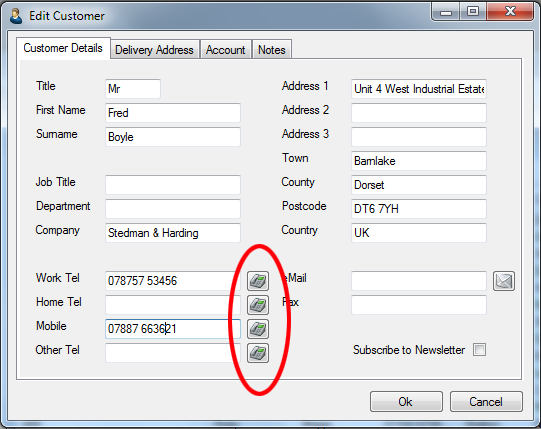
We've also included a phone dialer in the customer details screen so that if you are using a compatible IP phone, you can dial your customers with the click of a button.
30 Day Trial Period Reset
For Easify Feature Pack 4 we are resetting the trial period back to 30 days, so if you have previously tried Easify but your trial period has expired, you will be able to download Easify 2009 with Feature Pack 4 when it is released, and receive another 30 days in which to evaluate Easify complete with its new features.
Improved Financial Reporting & Recording
Probably the biggest change for Easify Feature Pack 4 is the further enhancement of its financial capabilities.
Now you can record payments made for purchases as well as sales, and can create and manage as many accounts as you need to organise your finances.
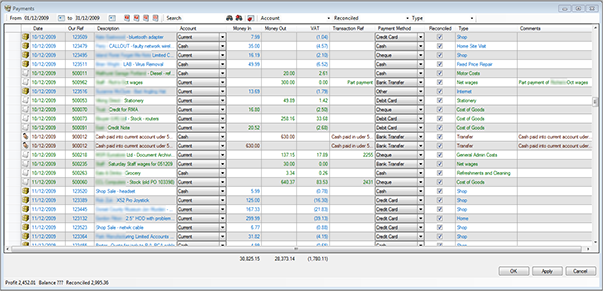
Whether you process sales payments via EPOS, or the Orders & Quotes screen, your financial transactions are captured as they happen in real-time into your books, allowing you to view real-time reports on the financial performance of your business.
Why wait for your bookkeeper to enter your sales and purchases into an accounting package, when all of your staff can be entering the data straight into Easify as they work...
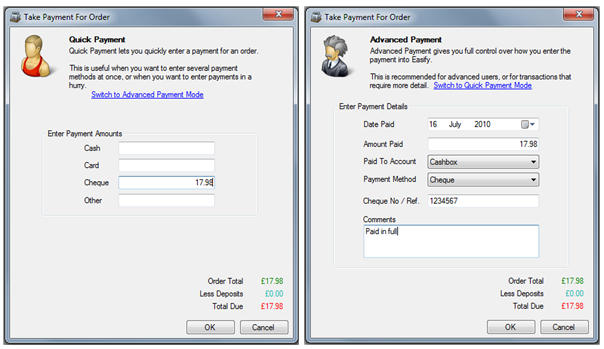
Now With Customisable Columns
We designed Easify to be useful to every member of your company. As such not everyone will want (or be permitted) to see the same information.
Now you can choose which columns you want to see in all of Easify's main screens such as Orders & Quotes, Products, Purchases etc...
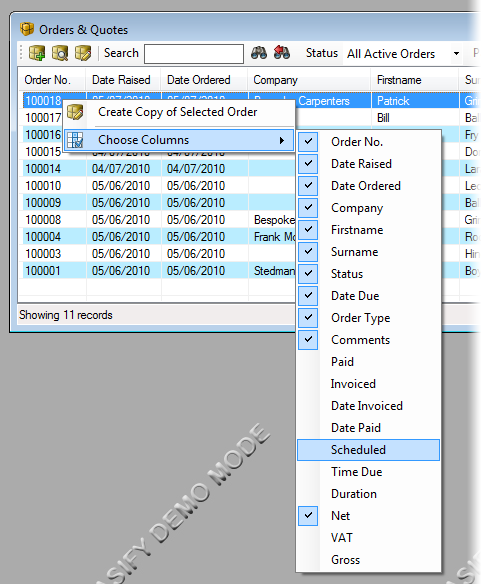
Not only that but you have full control over which users are allowed to see which columns. So if you don't want people to be able to view a column, simply don't give them permission to in Easify.
Product Search & Pick...
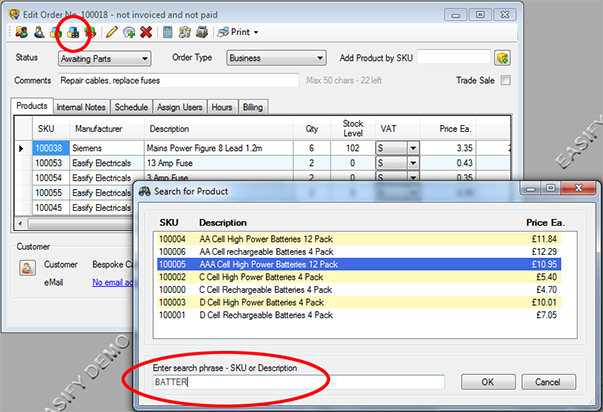
If you have hundreds or even thousands of products stored in Easify you will be pleased to know that Feature Pack 4 brings with it a product search facility.
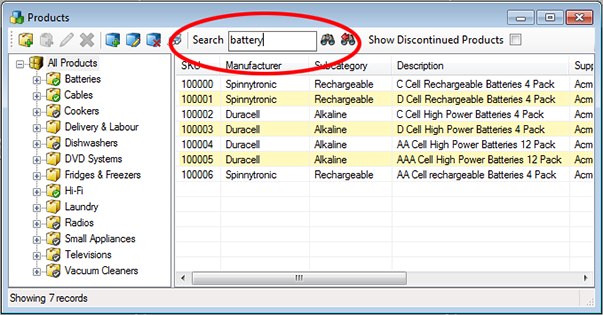
And now you can quickly and easily add products to orders in the back-end using the new product picker.
When working on an order or quote in the back-end, just hit F3, start typing the name or SKU of a product and a list of matching products will be displayed in real-time. When you find the product you're looking for, select it and hit enter.
The product is added to your order or quote...
Comprehensive SKU Handling
Now in Easify you can work with any type of SKU that you like.
Whether you choose to stick with the built in SKUs that Easify assigns to newly created products, or want to create your own alpha-numeric SKUs Easify now covers all options.
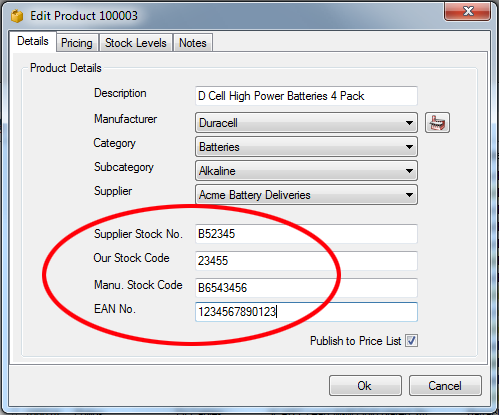
Whichever SKU you choose to use, Easify EPOS software will recognise it at the point of sale.
Set Your Own Product, Customer and Order Numbering
Feature Pack 4 gives you far greater control over the auto numbering of Quotes, Products, Customers and Purchases.
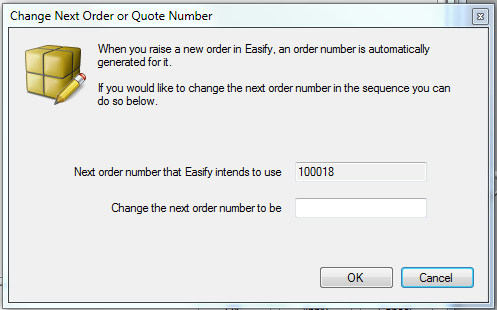
So if you already have an existing numbering scheme, Easify allows you to carry on using it.
Save Time With Easify's New Phone Dialer...
If you have an IP phone that supports dialing via URL such as the Snom 320, you can configure Easify to automatically dial your contacts at the click of a button.
Edit Products Directly from the Order Details Window
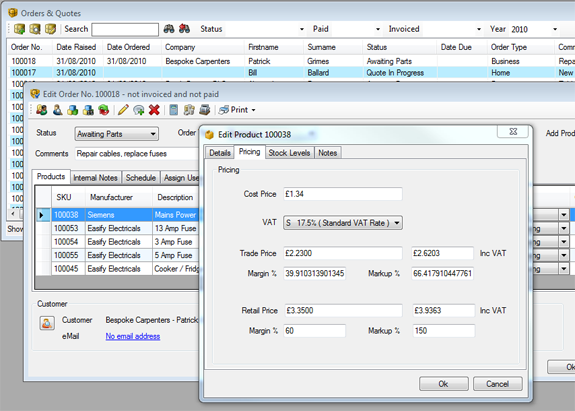
We've added the ability to edit product details from directly within an Order or Quote. So if you need to quickly change something to do with a product, or simply want to check product details just double click the product and off you go.
Improved CRM Features
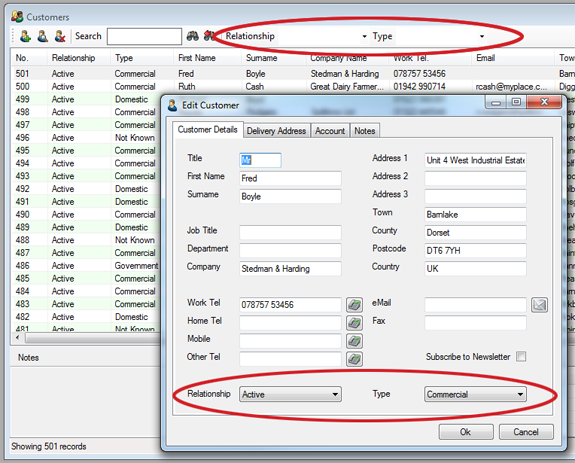
We've added a few handy CRM features to the customers section of Easify.
For each customer you can now specify what their relationship to you is i.e. Lead, Prospect, Active Customer etc...
You can also state what type of customer they are, so if you want to segment your customers into different types you can create a list of customer types and then assign them to your customers.
Improved CRM Features
We still have a few more features that we're working on for Feature pack 4 and will be revealing these a little closer to the final release date.
On the subject of release date we are currently aiming for a release in Early October 2010 - please stay tuned for further updates - or follow us on Twitter for news as it breaks!